
Shipping with this method takes 3-5 days
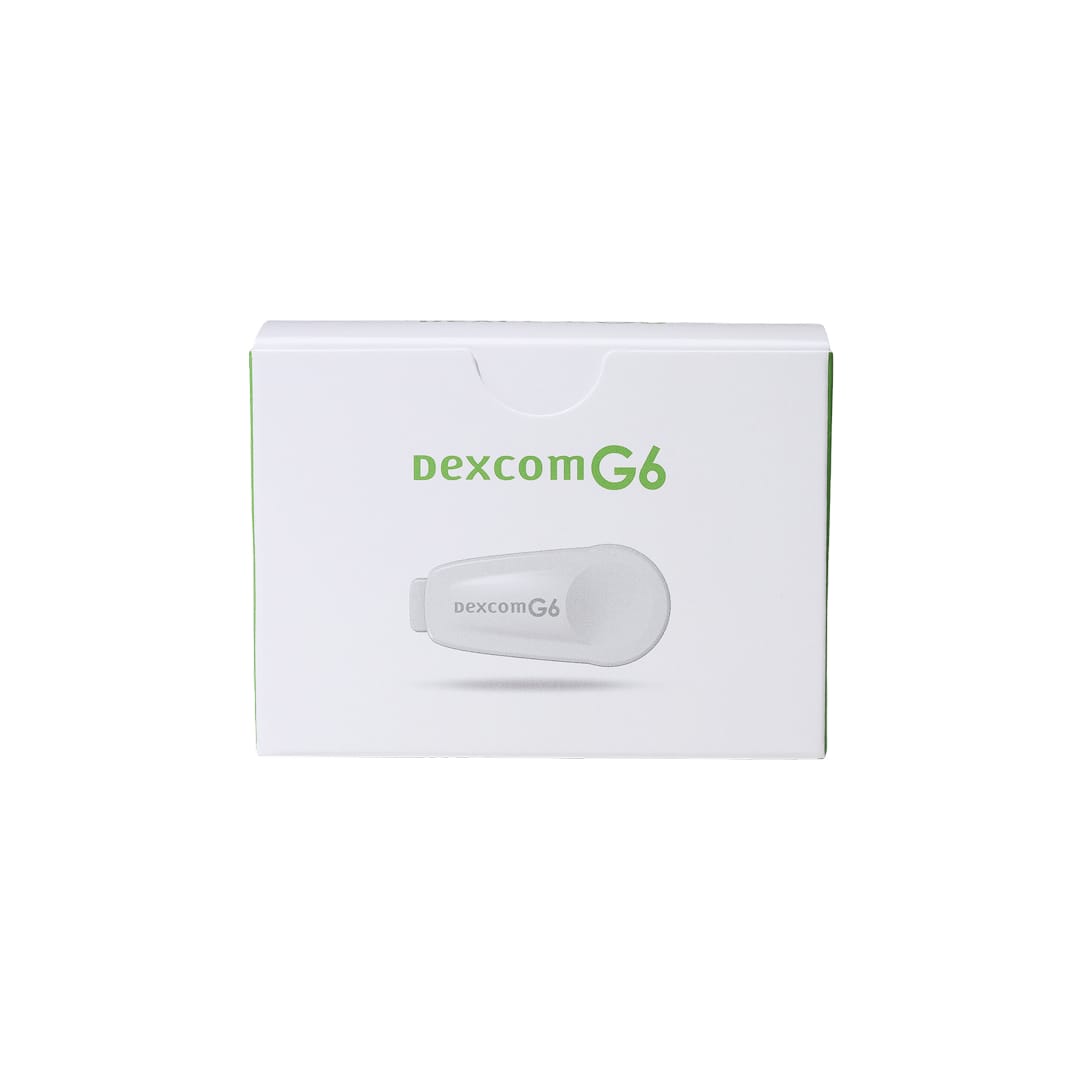
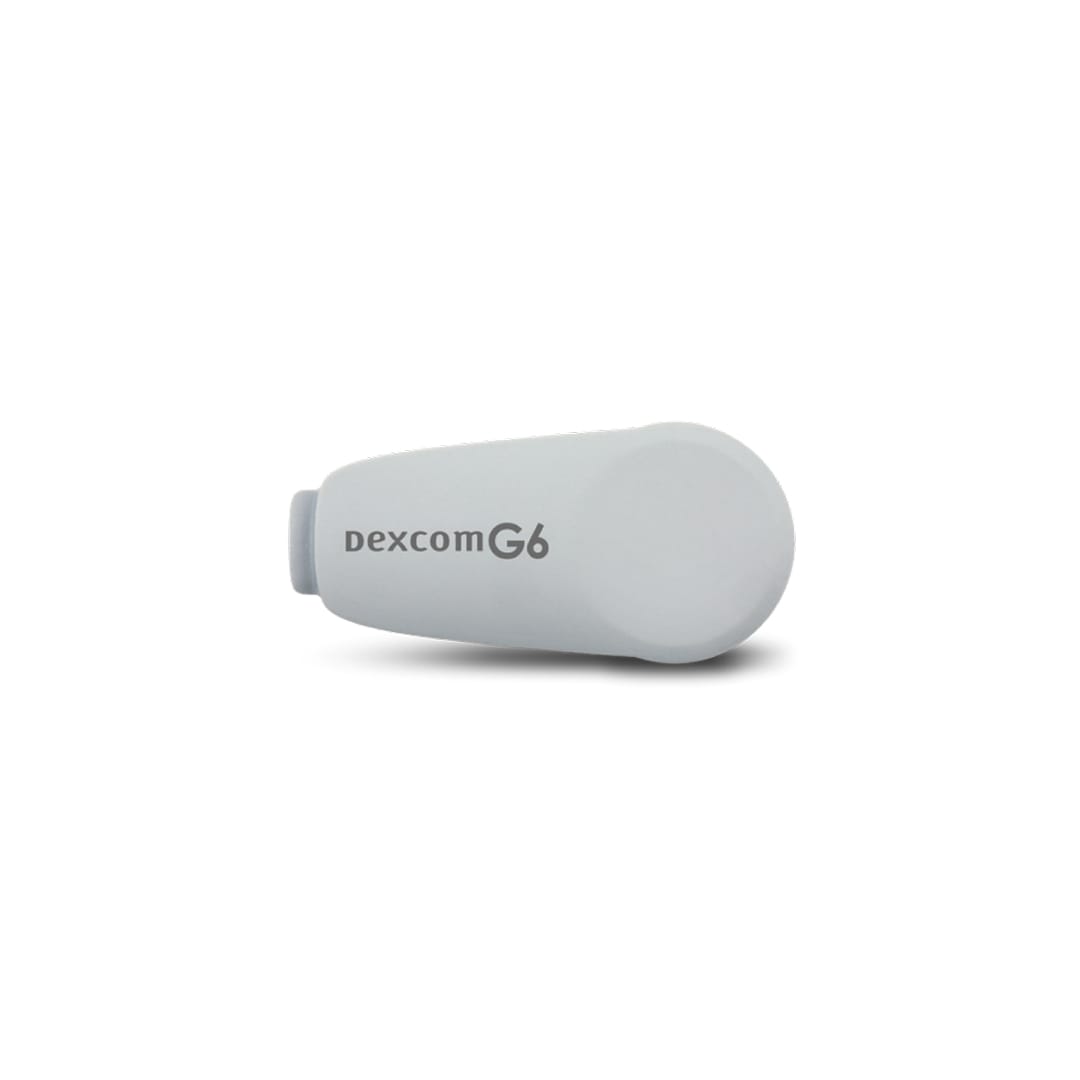
Dexcom G6 Transmitter
Buy Dexcom G6 Transmitter Online


Dexcom G6 Transmitter is the reusable electronic component that snaps into a Dexcom G6 sensor and sends glucose data wirelessly to a compatible display device. You can buy Dexcom G6 Transmitter online, view the current listed price, and match the device to your G6 sensors, receiver, or compatible smart device before checkout. The transmitter is not a sensor or receiver, so choosing the correct G6 component matters for continuous glucose monitoring.
The transmitter works only as part of the Dexcom G6 continuous glucose monitoring system. It collects sensor readings from the inserted G6 sensor and sends them by Bluetooth to a Dexcom receiver or supported phone app. Keep the transmitter ID and packaging after arrival because the ID is needed during pairing.
Dexcom G6 Transmitter Price and Device Match
Dexcom G6 Transmitter price should be assessed separately from G6 sensors, receivers, adhesive patches, or bundled supplies. Each component has a different role in the CGM system, and a transmitter alone will not measure glucose without a compatible G6 sensor. When reviewing Dexcom G6 Transmitter cost, focus on the device name, quantity, item identifier if shown, and whether your current supplies are for the G6 generation.
Pricing can vary by quantity, presentation, and related supply needs. Customers comparing Dexcom G6 Transmitter price in Canada with US delivery from Canada should look at the displayed currency, device quantity, handling charges, and total at checkout. If item number 08627001601 appears in your records, use it only as a matching aid and still verify the device name and G6 generation.
| Detail | What to verify | Why it matters |
|---|---|---|
| Component | Dexcom G6 transmitter | Helps avoid selecting sensors or a receiver by mistake. |
| System generation | G6, not G7 or another Dexcom system | Dexcom components are not universally interchangeable. |
| Quantity | The device count shown at checkout | Total cost depends on quantity and presentation. |
| Display path | Dexcom receiver or compatible smart device | Readings need a supported display device. |
| Transmitter ID | Number on the transmitter or packaging | The ID is required for pairing. |
Quick tip: Check your sensor supply before replacing the transmitter so the next sensor session can start smoothly.
For broader monitoring items, the Diabetes Supplies collection can help separate CGM components from meters, strips, and related accessories. Component-level matching remains essential because G6 transmitters, G6 sensors, and display devices must work together.
How to Order a G6 Transmitter Online
To order Dexcom G6 Transmitter online, choose the G6 transmitter device, review the current price and quantity, and make sure it matches the system you already use. A Dexcom receiver and transmitter may be used together, but many people use a compatible smartphone instead of the receiver. If you use a phone, confirm compatibility through Dexcom before relying on it for readings and alerts.
Before checkout, compare the product name with the wording on your clinic paperwork, insurance records, or previous Dexcom packaging. Some documents may use terms such as Dexcom transmitter, Dexcom sender, G6 transmitter, or Dexcom G6 transmitter replacement. If a document also mentions sensors or a receiver, decide which part you actually need before placing the order.
- Select the Dexcom G6 transmitter device.
- Review quantity, item identifier, and total charges.
- Confirm that your sensors are Dexcom G6 sensors.
- Check receiver or phone compatibility before setup.
- Keep the transmitter ID, box, and order information after delivery.
Do not activate a new G6 transmitter until you are ready to pair it according to Dexcom instructions. Transmitter life is counted after activation, so starting it too early can shorten useful service time. Follow the app or receiver prompts rather than trying to force pairing outside the setup workflow.
What the Transmitter Does in the G6 System
The Dexcom G6 transmitter sends glucose information from the sensor to a compatible display device. It does not measure glucose by itself. The sensor sits under the skin and measures glucose in interstitial fluid, which is fluid between cells, while the transmitter relays that sensor information wirelessly.
This difference matters when replacing supplies. A new transmitter will not work without an active G6 sensor, and new sensors will not send readings without a working G6 transmitter. A receiver or compatible smart device is also needed so you can see readings, trend arrows, alerts, and system messages.
The G6 system is a continuous glucose monitoring system, often shortened to CGM. CGM provides frequent glucose readings and trend information between standard blood glucose checks. It can help you and your clinician identify patterns, but readings still require appropriate interpretation, correct setup, and backup testing when symptoms do not match the display.
The Diabetes Articles section includes educational material on glucose monitoring and diabetes care decisions. Use education alongside device instructions and clinician guidance, especially when changing how you respond to glucose trends.
Sensor, Transmitter, and Receiver Differences
The sensor, transmitter, and receiver are separate parts of the Dexcom G6 system. The disposable sensor is inserted into the skin and collects glucose data. The transmitter snaps into the sensor housing and sends data. The receiver, or a compatible smart device, displays readings and alerts.
You cannot use Dexcom G6 as a connected CGM system without a transmitter. If the transmitter is expired, damaged, missing, or not paired, the display device will not receive sensor readings. Ordering sensors alone will not restore readings if the transmitter has reached the end of service.
A Dexcom G6 transmitter and receiver can be part of the same setup, but a receiver is not the only display route for every user. Some people use the Dexcom app on a supported phone. Because phone models and operating systems can change, check current Dexcom compatibility before depending on a smartphone for alerts or treatment decisions.
- Sensor: Measures glucose in interstitial fluid.
- Transmitter: Sends sensor data wirelessly.
- Receiver: Displays readings, trends, and alerts.
- Smart device: May display data when Dexcom supports the model and software.
- Backup meter: Helps confirm readings when symptoms and CGM data do not match.
Why it matters: A CGM order is useful only when every required G6 component is compatible and available.
Replacement Timing and Setup Basics
A Dexcom G6 transmitter replacement is usually planned around transmitter life and sensor changes. Dexcom G6 transmitters are commonly used for about three months after activation, but you should follow the exact prompts shown by your receiver or app. The system may warn when the transmitter is nearing its end of life.
Prepare a new G6 transmitter before the next sensor change if your system indicates that replacement is approaching. This can reduce gaps in glucose data. Do not depend on a transmitter after the system says it is expired or no longer supported for use, and do not try to extend service beyond manufacturer instructions.
Some people search for how to replace Dexcom transmitter without removing sensor hardware. For routine use, follow Dexcom setup materials and display prompts rather than improvised removal methods. Removing, reusing, or manipulating components in unsupported ways can damage the sensor site, interrupt readings, or make troubleshooting harder.
Pairing requires the transmitter ID. Enter the number carefully because an incorrect ID can delay setup or create repeated pairing failures. If readings do not appear after setup, check Bluetooth, app permissions, display-device battery, distance from the transmitter, and whether the warm-up period has finished.
If signal loss, pairing failures, or unexpected gaps continue, contact your diabetes care team or Dexcom support. Keep the packaging, transmitter ID, display-device model, app version, and sensor information available so the issue can be assessed efficiently.
Storage, Handling, and Travel
The G6 transmitter is an electronic medical device and should be protected from avoidable damage. Store it in the original packaging until use. Avoid crushing the box, exposing the device to moisture extremes, or leaving it in cars, checked luggage, or other places that may become very hot or freezing.
Unlike refrigerated insulin, the transmitter does not usually require cold-chain handling. Still, prompt, express, cold-chain shipping language may appear alongside diabetes products because different supplies have different handling needs. Inspect the package after arrival and do not use a device that appears damaged without professional or manufacturer guidance.
Travel requires planning because CGM components, chargers, sensors, and backup testing supplies may be needed away from home. Keep supplies accessible, protected, and identifiable as medical equipment. If crossing borders, keep packaging and relevant medical documentation available in case officials or carriers ask about your diabetes supplies.
Security screening and medical procedures may need extra caution. Follow Dexcom guidance for scanners, imaging equipment, and situations where CGM components could be exposed to conditions the manufacturer warns against. Carry backup meter supplies when travel disrupts charging, signal range, app access, or sensor-change timing.
Safety, Monitoring, and When to Use a Meter
The transmitter supports glucose monitoring, but it does not replace clinical judgment. If your symptoms do not match the CGM reading, confirm with a blood glucose meter and follow your clinician’s instructions. This is especially important with symptoms of hypoglycemia, meaning low blood sugar, or hyperglycemia, meaning high blood sugar.
CGM readings may be delayed, unavailable, or inaccurate if there are sensor problems, signal interruptions, device setup errors, interfering medicines, or missed alerts. Do not ignore symptoms because a display number looks reassuring. Severe lows, persistent highs, vomiting, confusion, or signs of dehydration require timely medical attention according to your care plan.
Dexcom has warned that hydroxyurea can falsely raise readings with some Dexcom systems. Medication effects and procedure restrictions can vary by system and instructions, so review current manufacturer guidance if you take medicines that may interfere with CGM data. Imaging procedures such as MRI, CT scan, or diathermy may require device removal or other steps before the appointment.
- Symptom mismatch: Use a blood glucose meter to confirm.
- Signal loss: Keep the display device within range.
- Alert settings: Make sure alarms are active and audible when needed.
- Skin irritation: Watch for redness, rash, or adhesive reactions near the sensor site.
- Procedure planning: Tell imaging or procedure staff that you use a CGM system.
The Diabetes condition category can help place CGM use within broader glucose-management topics. For product browsing across diabetes care, the Diabetes Products category includes additional medication and supply categories.
Coverage, Cash Pay, and Related Supply Decisions
Dexcom G6 Transmitter cost may be considered alongside insurance, cash-pay, and replacement-supply planning. Coverage rules often separate transmitters, sensors, receivers, and accessories, so one component may be handled differently from another. If paying out of pocket, compare the current device price with the supplies needed for a complete working G6 setup.
A transmitter alone is not a full CGM system. You need G6 sensors and a compatible display device, and many users also keep a traditional blood glucose meter for backup checks. If your clinician changed your monitoring plan, do not assume older sensors, receivers, or accessories still match your current Dexcom system.
When reviewing related supplies, separate essentials from convenience items. Sensors and a display route are core system needs. Adhesive overlays, cases, and travel accessories may help with wear or organization, but they do not replace the transmitter. If you are unsure which component failed, use system messages, transmitter age, sensor status, and manufacturer troubleshooting steps to narrow the issue before buying another part.
When to Contact a Clinician or Dexcom Support
Contact your diabetes care team if readings are repeatedly inconsistent with symptoms, alerts are hard to interpret, or you are unsure how to use trend data with your treatment plan. Your clinician can help set alert thresholds, explain backup testing, and decide how CGM reports should be shared between visits.
Ask for clinical guidance before changing insulin doses, food choices, exercise responses, or urgent-care decisions based only on CGM trends. This is especially important for children, pregnancy, impaired awareness of lows, a history of severe hypoglycemia, or frequent unexplained high readings. The transmitter sends data, but treatment decisions should follow an individualized care plan.
Manufacturer support may be appropriate if a new transmitter fails to pair, repeatedly loses signal, or appears physically damaged. Keep the transmitter ID, packaging, receiver or phone details, app version, sensor lot information, and order record available. Clear information can shorten troubleshooting and help determine whether the problem is the transmitter, sensor, display device, or setup process.
Authoritative Sources
Manufacturer instructions should guide setup, pairing, compatibility, replacement timing, procedure precautions, and troubleshooting. Use official materials together with your clinician’s instructions when using the G6 transmitter.
- Official Dexcom G6 system information describes the CGM system, transmitter role, and display options.
- Official Dexcom component requirements FAQ explains which components are required for the G6 system.
- Official Dexcom transmitter replacement guidance provides manufacturer instructions for replacing the G6 transmitter.
This content is for informational purposes only and is not a substitute for professional medical advice.
Blood Glucose Unit Converter
Convert glucose readings between mg/dL and mmol/L without changing the clinical value.
mg/dL
-
US reporting unit
mmol/L
-
International reporting unit
These calculations are for education only and do not replace clinical advice, diagnosis, or treatment. Always confirm medical decisions with a qualified healthcare professional.
HbA1c & eAG Calculator
Convert between HbA1c percentage and estimated average glucose using the ADAG relationship.
HbA1c
-
percentage
eAG mg/dL
-
estimated average glucose
eAG mmol/L
-
estimated average glucose
These calculations are for education only and do not replace clinical advice, diagnosis, or treatment. Always confirm medical decisions with a qualified healthcare professional.
HOMA-IR Calculator
Estimate insulin resistance from fasting glucose and fasting insulin values collected from the same blood draw.
HOMA-IR
-
screening estimate, not a diagnosis
Formula used
-
depends on glucose unit
These calculations are for education only and do not replace clinical advice, diagnosis, or treatment. Always confirm medical decisions with a qualified healthcare professional.
Carb Serving Calculator
Convert total carbohydrate grams into carb choices for meal planning and diabetes education.
Carb choices
-
total carbs divided by choice size
Rounded choices
-
nearest half choice
Carb calories
-
4 kcal per gram
These calculations are for education only and do not replace clinical advice, diagnosis, or treatment. Always confirm medical decisions with a qualified healthcare professional.
CGM Time-in-Range Summary
Summarise CGM percentages across very low, low, in-range, high, and very high glucose bands.
Entered total
-
should equal 100%
Below range
-
very low plus low
Above range
-
high plus very high
Summary
-
common adult CGM targets vary by patient
These calculations are for education only and do not replace clinical advice, diagnosis, or treatment. Always confirm medical decisions with a qualified healthcare professional.
Express Shipping - from $29.99
Prices:
- Dry-Packed Products $29.99
- Cold-Packed Products $39.99
Standard Shipping - $19.99
Shipping with this method takes 5-10 days
Prices:
- Dry-Packed Products $19.99
- Not available for Cold-Packed products
How long does a Dexcom G6 transmitter last?
Dexcom G6 transmitters are commonly used for about three months after activation. Follow the replacement prompts shown by the Dexcom app or receiver, because those prompts should guide timing for your device.
What is the difference between a Dexcom G6 sensor and transmitter?
The sensor measures glucose in interstitial fluid under the skin. The transmitter snaps into the sensor housing and sends the sensor data wirelessly to a compatible receiver or smart device.
Can I use Dexcom G6 without a transmitter?
No. The G6 system needs a working transmitter to send sensor readings to a display device. Sensors alone will not provide connected CGM readings without the transmitter.
When should I replace my G6 transmitter?
Replace it when the Dexcom app or receiver indicates that the transmitter is nearing the end of life or has expired. Plan replacement around a sensor change and follow Dexcom setup prompts.
What should I keep after ordering a new transmitter?
Keep the packaging, transmitter ID, and order information. The transmitter ID is needed for pairing, and the packaging may help if you need troubleshooting or manufacturer support.
Rewards Program
Earn points on birthdays, product orders, reviews, friend referrals, and more! Enjoy your medication at unparalleled discounts while reaping rewards for every step you take with us.
You can read more about rewards here.
POINT VALUE
How to earn points
- 1Create an account and start earning.
- 2Earn points every time you shop or perform certain actions.
- 3Redeem points for exclusive discounts.
You Might Also Like
Select options
This product has multiple variants. The options may be chosen on the product page
Select options
This product has multiple variants. The options may be chosen on the product page
Select options
This product has multiple variants. The options may be chosen on the product page
Select options
This product has multiple variants. The options may be chosen on the product page