
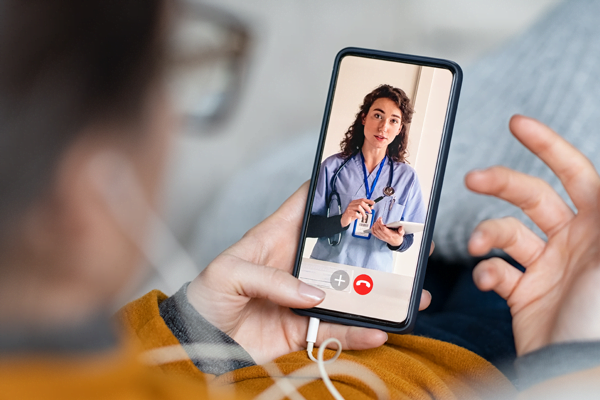
Telehealth services at Canadian Insulin refer to remote video-based medical visits that may support routine diabetes follow-up, medication review, and lifestyle counseling without traveling to a clinic. For many people, that matters because diabetes care often depends on regular check-ins, lab review, device data, and clear medication questions. A virtual visit can make that follow-up easier, but it does not replace hands-on exams, urgent care, or every prescribing decision.
Key Takeaways
- Best for routine diabetes follow-up, medication review, and counseling
- Expect intake, consent, identity checks, and discussion of symptoms and data
- Insulin prescribing may be possible, but rules and clinical needs vary
- Your location can affect whether a visit or refill can proceed
- Emergency symptoms still need prompt in-person or emergency care
Where Telehealth Services Fit in Diabetes Care
These visits work best as part of ongoing diabetes care, not as a replacement for every clinic appointment. They can be useful for reviewing blood sugar patterns, discussing side effects, going over lab results, checking how a plan is working, and talking through nutrition, activity, or routine barriers. Many people use virtual care services when weather, work, caregiving, transportation, or distance make office visits harder to keep.
In practice, telehealth services are most useful when the key questions can be answered through conversation, records, and home data. That may include a routine follow-up, a medication review by video, or a discussion about hypoglycemia, hyperglycemia, or device alerts. It is less useful when a clinician needs to examine your eyes, feet, skin, injection sites, abdomen, or vital signs in person.
For diabetes, much of the useful information already exists before the visit starts. Home glucose logs, CGM trend graphs, blood pressure readings, food patterns, symptom diaries, and recent lab reports can all shape a good remote conversation. Because of that, a well-prepared virtual appointment can sometimes answer the same management questions that would otherwise take a brief office follow-up.
Video care also works best when it sits inside a broader care plan. You may still need lab work, retinal screening, foot exams, vaccines, or in-person visits from time to time. That is normal. Virtual and in-person care often complement each other rather than compete.
Why it matters: Skipped follow-up can lead to missed questions, medication confusion, and delayed care.
CanadianInsulin.com acts as a prescription referral platform.
What Happens Before, During, and After a Video Visit
A typical video appointment follows a simple sequence: intake, consent, clinical review, and a clear next-step plan. The exact steps vary by service, but most telemedicine visits start by confirming who you are, where you are physically located, and what you want addressed that day.
Before the visit
Before the call, you may be asked to complete intake forms and consent documents. This often includes contact details, your medical history, current medications, allergies, recent symptoms, and the reason for the visit. If you use a glucose meter, continuous glucose monitor, or insulin pump, it helps to have recent readings, screenshots, or upload reports ready. A quiet room, stable internet connection, a charged device, and a backup phone number also help.
During the visit
During the appointment, the clinician usually reviews your symptoms, blood sugar trends, low or high glucose episodes, medication routine, side effects, and any recent lab results. This is also the time to discuss meal timing, missed doses, device problems, sleep patterns, exercise changes, or questions about sick-day planning. If you are seeking a refill or treatment change, the discussion may focus on what has changed since your last review and what supporting records are available.
Example: a routine follow-up may focus on repeated overnight lows, missed meals, or a recent A1C result rather than on a brand-new diagnosis. In that setting, remote review can help identify patterns and decide whether simple follow-up, new testing, or in-person evaluation makes more sense.
Not every issue can be settled on screen. A clinician may decide that you need an in-person exam, urgent assessment, imaging, or lab work before a decision is made. That does not mean the virtual visit failed. It means the visit clarified the safest next step.
After the visit
After the call, you may receive a summary of the plan, instructions for follow-up, requests for records or lab work, and, when appropriate, a prescription or refill. Some visits lead to a return appointment rather than an immediate change. That is common in diabetes care, where trends over time matter more than a single number.
You should also know how results, messages, or follow-up questions will be handled after the visit. Some services send a written summary, while others rely on a portal or direct communication with your usual prescriber or pharmacy.
Can a Telehealth Doctor Prescribe Insulin?
Sometimes, but not automatically. A clinician may be able to prescribe or renew insulin after a telehealth visit if the clinical situation, local rules, and available records support that decision. In other cases, the safer choice is to review more data first, contact your regular prescriber, or arrange in-person care.
Many people ask whether telehealth services can include insulin prescribing. They can in some settings, especially for routine follow-up or medication continuity, but insulin is not a simple one-size-fits-all medication. Starting insulin, switching regimens, or responding to repeated low blood sugar episodes may require a fuller history, recent lab results, home glucose data, and sometimes a physical exam. A clinician may also need to know what other diabetes drugs you use, whether you have kidney problems, how often you miss meals, and whether you have had severe hypoglycemia or diabetic ketoacidosis.
- Recent medication list and allergies
- Glucose logs, CGM reports, or pump summaries
- Relevant lab results or recent clinical notes
- Your current pharmacy and prescriber details
- Your physical location at the time of the visit
In many systems, the patient’s location during the visit affects what a clinician can do. A person sitting in one province, territory, or country may face different rules than someone in another location. That is why cross-border telehealth can be more complicated than a standard local follow-up. A virtual visit does not automatically guarantee a prescription, a refill, or cross-border fulfilment.
If you are in Canada but away from home, or joining from another country, say that clearly before clinical advice begins. A clinician may need to adjust the visit, limit certain actions, or direct you to local care. That is a legal and safety issue, not a technology issue.
If needed, prescription details may be verified with the original prescriber.
Some patients also ask about cash-pay options or fulfilment across borders. Those pathways may exist in some cases, but they depend on eligibility, jurisdiction, and the dispensing pharmacy rather than on the video visit alone.
Telehealth vs In-Person Care: Differences That Matter
Telehealth is most helpful when the main task is review, discussion, or planning. In-person care is usually better when a clinician needs to examine you, perform a procedure, or respond to urgent symptoms. A lot of frustration disappears once those boundaries are clear.
| Situation | Telehealth may work well | In-person care is often better |
|---|---|---|
| Routine follow-up | Medication review, lab review, device data, counseling | When a physical exam is needed |
| New symptoms | Mild issues that need triage and next steps | Foot wounds, injection-site problems, sudden vision changes |
| Urgent concerns | Limited role for initial guidance | Chest pain, trouble breathing, severe low sugar, ketones, dehydration |
A video visit is not the right setting for every diabetes problem. Severe hypoglycemia, fainting, confusion, vomiting with high sugars, breathing difficulty, new one-sided weakness, sudden vision loss, or a rapidly worsening infection need urgent in-person assessment. The same is true when you think you may need intravenous fluids, emergency testing, or hands-on treatment.
That said, virtual care can still help after an urgent issue has passed. A follow-up video visit may be useful to review why an event happened, what records need updating, and whether your care plan now needs closer monitoring.
Emergency preparedness is a separate topic from virtual access. If your care plan includes rescue glucagon, examples on this site include Baqsimi Nasal Powder and Glucagon Injection Kit With Diluent. Those products do not replace emergency evaluation when symptoms are severe or prolonged.
For many people, the most realistic model is hybrid care. You might use virtual follow-up for routine reviews and keep in-person visits for exams, complications, vaccines, procedures, and problem-focused assessments.
Privacy, Consent, and Technology Basics
Most virtual appointments depend on three basics: informed consent, a private setting, and working technology. Early in the visit, you may be asked to confirm that you agree to a remote consultation, understand its limits, and know what to do if the connection drops or an urgent issue comes up.
Privacy matters because diabetes visits often cover sensitive details such as medications, pregnancies, mental health, eating patterns, alcohol use, and complications. Try to take the call in a quiet room. Headphones can help. Keep paper notes and device data nearby, and close unrelated apps if you are sharing a screen. If the platform offers a secure portal for uploads, use that rather than casual text or social messaging.
Consent also means understanding the practical limits of remote care. Camera quality, lighting, and connection stability can affect what a clinician can assess. Even a very good video platform cannot replace listening to lungs, examining feet, measuring blood pressure, or checking dehydration in person.
Technology problems are common and usually manageable. A smartphone, tablet, or laptop with a camera and microphone is usually enough for a basic visit. Good lighting helps if you need to show a device site, rash, or swelling, though some issues will still need an in-person exam. If you are traveling, joining from work, or outside your usual area, mention that up front because it may affect what the clinician can document or prescribe.
Dispensing is handled by licensed third-party pharmacies where permitted.
Who Telehealth May Suit and How to Prepare
Telehealth services may suit people who need routine follow-up, medication discussion, or education more than a hands-on exam. That may include people with stable diabetes plans, those who live far from a clinic, caregivers helping a family member, or anyone trying to avoid missing work for a short review. It can also help when the main goal is to discuss lab trends, CGM reports, or questions about side effects.
Virtual care may be less helpful when symptoms are new and unexplained, when major treatment changes are being considered, or when communication needs make remote care harder. Some patients do better with a hybrid model that combines telemedicine visits with scheduled in-person exams. Others may prefer in-person care because they have unreliable internet, need an interpreter arrangement, or feel more comfortable with face-to-face discussion.
Before the appointment, decide what outcome would make the visit worthwhile. You may want reassurance about a symptom, clarification about a medication, help interpreting glucose trends, or a next-step plan for labs and follow-up. Being clear about that goal keeps the conversation focused and makes it easier to tell whether telehealth is the right format for the issue.
Quick tip: Put your questions in priority order before the call, starting with safety issues or refill needs.
A short checklist can make the appointment more useful:
- Medication list ready
- Recent glucose data available
- Lab results or reports nearby
- Symptoms and questions written down
- Current pharmacy details confirmed
- Physical location disclosed accurately
- Backup phone number available
If you are exploring Canadian Insulin video visits, it also helps to understand the service boundary. The visit is one part of care, not the whole system. Referral, prescribing review, dispensing, and fulfilment may involve different steps and different parties.
For broader site updates and service context, you can browse the News Hub.
Authoritative Sources
- Diabetes Canada outlines virtual care and diabetes.
- A Canadian review summarizes direct-to-patient virtual visits in Canada.
Used well, a video visit can make routine diabetes follow-up more accessible. The key is knowing what telehealth can handle, what still needs an exam, and what information to have ready before the call.
This content is for informational purposes only and is not a substitute for professional medical advice.